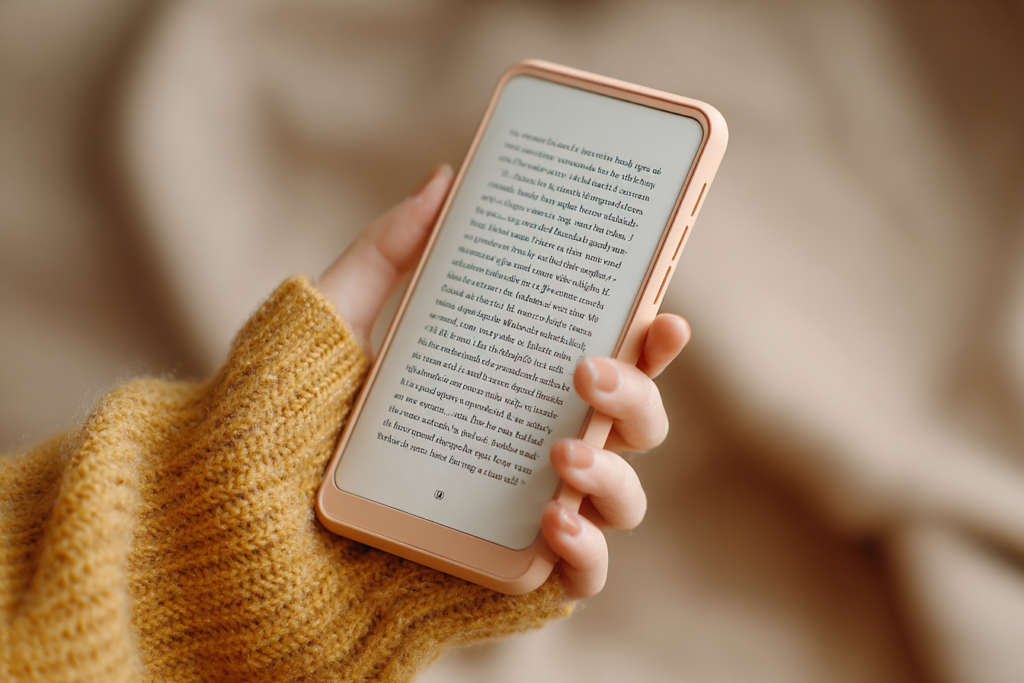
There’s a sentence I hear at every market and book event: “Oh, I just prefer print books.” That’s a whole different discussion, and one I’ll tackle another day.
But when I mention that all my books are available as ebooks, and that some of them are only available as ebooks, I often get the same horrified expression. Then comes the follow-up: “I tried reading on my phone once. The screen was too small. There wasn’t enough text. I had to keep swiping over and over and over…”
And they give a little shudder, as if I had suggested reading War and Peace through a keyhole.
I used to think this, too. Once upon a time, I read on a tablet because surely a phone screen was too small to read comfortably. Then I actually tried it. Now I read on my phone all the time.
The Secret About Phone Reading No One Tells You
Phone reading has all the usual advantages of ebooks:
- Ebooks are cheaper.
- You can carry your entire TBR pile with you everywhere.
- You can increase the font size and stop squinting or hunting for your glasses.
But reading on your phone has a few extra advantages that tablets and print books can’t compete with.
Your phone is always with you.
You don’t have to remember to bring it. You don’t have to shove it into your bag. You don’t have to think ahead.
You’re standing in line at the grocery store? Read a chapter. Waiting in the doctor’s office? Read three pages.
Stuck in the car while your spouse “just pops into the hardware store for one thing”? You can get halfway through a chapter before they come back out with three bags and a new ladder.
Holding a Book In One Hand Is a Marvel of Modern Civilization
This is the part that changed everything for me. Your phone fits into one hand. That means you can curl up in bed, or on the couch, or in your favourite reading chair, and hold the entire book in one hand.
No balancing a paperback open with your thumb while the pages keep trying to spring shut. No holding up a heavy hardcover that slowly makes your wrists ache.
No tablet that requires both hands and a careful balancing act if you’re also trying to drink tea.
And best of all: if you fall asleep while reading, your phone won’t break your nose when it lands on your face. A paperback will merely insult you. A tablet will attempt murder.
The Tiny Trick That Makes Phone Reading Effortless
Most people who hate reading on a phone have only ever tried swiping. Swipe, swipe, swipe. After about five minutes, it feels like you’re sanding a table.
But nearly every reading app lets you turn your phone’s volume buttons into page-turn buttons. That means instead of constantly swiping, you just rest your finger on the volume key and press lightly to move to the next page.
That’s it.
Barely any movement. No awkward thumb gymnastics. No shifting your grip every thirty seconds. It is astonishing how much difference this makes.
Once I discovered this setting, phone reading stopped feeling like work and started feeling exactly like reading.
“But There’s Hardly Any Text on the Screen!”
Yes. There isn’t much text on the screen at one time. That’s true. And it doesn’t matter.
Honestly, it doesn’t.
Once you’ve figured out easy page-turning, your brain stops noticing how much text is visible. After about ten minutes, you’re no longer reading a tiny screen. You’re inside the story.
You stop noticing the page turns in exactly the same way you stop noticing turning pages in a paperback. You don’t read by measuring how many words are on the page. You read by following the story.
The story still works. In fact, because the text is larger and clearer, sometimes it works better.
Don’t Trust Me. Try It.
Actually, don’t take my word for it. Try it for yourself. Install a reading app on your phone. I like Google Play Books (and if you have an Android phone, the app is pre-installed), although if you buy all your books from one retailer you may need to use their app.
Pick a book you already enjoy and make a deal with yourself: You will read at least three chapters on your phone.
Before you begin, poke around in the settings and see if you can set the volume buttons to turn pages. Most apps have the option somewhere.
Then read. Not for two minutes. Not for half a page while muttering “I hate this.” Give it three chapters.
I suspect that somewhere around chapter two, you’ll stop noticing the screen size completely. And then you may discover the dangerous truth: Your entire library has been sitting in your pocket all along.
Now available for preorder:
Even More Time Kissed Moments
Camlann
Latest releases:
Before, After, Always
Kiss Across Time Box Three
The Grail and Glory
My eyes protest if reading on the phone. But I love reading pdf on my PC, comfortably at my desk and with the font as big as my (big enough) monitor.
Hi Marina: Is it the size of the font that makes your eyes protest? Because the text is infinitely scalable.
If it’s a different reason than font size (or lack of a dark background/light background — or any of the settings you can change with an ereader), then it’s great that you’ve found a solution that suits you.
Tracy
I read eBooks on my phone, iPad and e-reader. At appointments I read on my phone, at my desk I read on my iPad, and use the e-reader when I go to bed. My only problem is that I’m reading 3 eBooks at once and having to keep them all straight can be confusing, but I have done this for many years now.
Oh! I do this — have multiple books going. I use the Google eReader, which synchronizes between devices (phone, tablet, laptop, desktop) so I can just pick up reading on whatever device I’m using right then.
Tracy
The main reason I have an ipad (inherited an not the latest and greatest ) is for ebooks. Can access books from all the big ebook vendors, bookfunnel, and upload epubs purchased off of author websites as well. Font on phone too small for me for reading for hours, but ipad is perfect (I would expect other tablets the same). Can also play music while reading and surf the web, bonus. Waiting at the docs’ office, reading a book on your phone helps pass the time.
Yes, this is why I wrote the post: because so many readers tell me “the font is too small on the phone”. But the font can be scaled up to something you (and I!) can read — I don’t even need reading glasses to read on my phone. This is the *entire* point I was trying to make: Phone reading is exactly like tablet reading, only you take your phone with you everywhere, while you have to remember to take your tablet with you.
Tracy
I love the flexibility of reading on the phone. I was not aware of the neat volume button trick. I use continuous scrolling and I’m so used to it that I’ve caught myself moving my thumb up on a paper page, the rare times I read a print book 🙂
The volume button is a game changer.
That makes phone reading super comfortable and relaxing.
LOL on trying to make a print page scroll upwards!
It’s kinda like those indie authors who put “click this link” in the end matter of their print book. 🙂
Tracy
OK so you love your phone, I’ve had to learn to use one due to life circumstances but I still hate the small screen and having to use 2 pairs of glasses so I’ll keep using my tablet which suicides off the bed rather than trying to kill me. It takes all sorts and the way my sight is going I should try audio books
it’s not so much that I love my phone. I love the convenience of having a few thousands books with me wherever I go. I scale up the font to the point where I don’t even need my glasses to read. So I don’t even have to remember to take my glasses with me.
It does take all sorts, but I suspect there are too many readers who are missing out on nuggets of reading time because of the whole “the text is too small!” belief.
I’ve been reading on my android phones for years. The only thing I would say, is that you don’t actually own the book. I’ve lost 3 books, that I know of, from Amazon and they can’t or won’t say why. Or replace them. Because I don’t actually own them. Which is why I prefer to buy from author’s own shop where possible
You’re quite correct, Gill, which is why there are many people out there who talk about “jail breaking” your books. Buying direct is the one legal way to 100% own your own books once you’ve bought them.
Tracy
That’s an Amazon problem, not an ebook problem, and that’s why I’ve always preferred purchasing from other sources that provide an actual .epub download, such as Baen or BookFunnel or Smashwords, and many authors offer direct sales via PayHip or similar applications. And now that Amazon is being more upfront that you do not actually *own* those books, more and more authors are looking into other options than limiting themselves to Amazon and KU, so everybody wins.
I download the files to my computer and phone, and back them up to our family’s Nextcloud instance and an SD card for my tablet, and then I know those books are mine forever, and all I have to do any time I replace a mobile is copy the files over, or switch the SD card to the new device.
I was a convert to ebooks ever since my first smartphone, when I somehow discovered the CoolReader app, and began enjoying reading in bed with the lights off! Sadly, I don’t think it’s still under active development, but it is hands down the very best software I’ve ever seen for customizing the ebook experience. It’s not just the font size and day or night theme; it allows you to change the font and background colors individually, plus *many* other options.
Using the volume buttons is a game changer for many people, but just like the majority of ebook apps, it still only allows you to use one hand. However, CoolReader has 9 zones in the screen, which are set up by default in a way that allows you to switch from one hand to the other with the greatest of ease and lack of thought; all you need to do is tap the appropriate zone with the edge of your thumb, which is easier than swiping, and not a probpem at all if your phone actually fits your hand.
I read on the phone only when on short trips, but when at home or a longer travel, I prefer reading on the tablet, mainly because the screen fits more text than on the phone so less pages to tap. A larger screen is also better for PDFs and comic books. No scrolling or side buttons needed, the pages can be turned by tapping on the left or right of the screen on the few reading apps I use, including Kindle app. Also, I use the tablet with a Targus case that folds into a tablet stand and can be turned to portrait position. So, no holding required.